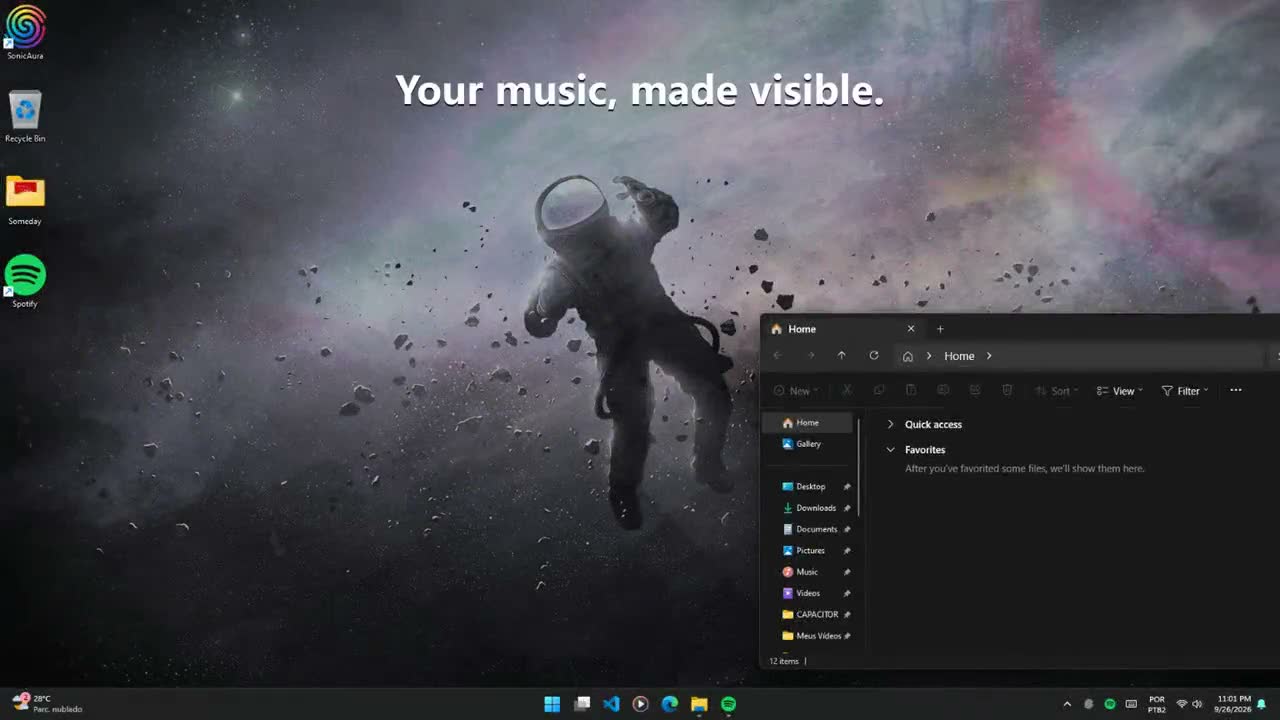
Reacts to your system audio
Loudness, bass, treble, beats and the direction of the melody, read from whatever is playing on the machine – a music service, a browser, a game or your music software. No microphone needed.
A music visualizer for Windows: your desktop moves with whatever is playing, in auras that sit above everything and stay out of the way.
An aura is the moving layer the app draws over your desktop – colour and motion that follow the sound.

Version 1.0.6 · 67 MB download · 250 MB installed · Two auras free forever · Pro optional

No focus timers, no streaks, no productivity promises. Just colour and movement that answer what is coming out of the speakers – something to keep in the corner of the eye while you work, code, browse or play, so the music is something you feel and not only hear.
Loudness, bass, treble, beats and the direction of the melody, read from whatever is playing on the machine – a music service, a browser, a game or your music software. No microphone needed.
While the aura you are using reads the screen, the overlay is kept out of the Windows capture APIs – screenshots and recordings come out without it.
The overlay floats above any window and the mouse keeps going to what is behind it. Click, scroll and type through it as if it were not there.
Switch between auras and watch the change while the sound keeps playing. Presets are yours to save, export and share.
Audio-reactive – what the app ships with – keeps the auras on the music and steps them aside while a video plays, while a video player sits open with no music in it, or while an application is filling the screen. Label each app once: music, video, or keep the auras over it.
Create + (Pro) writes a new aura from a description you type, with your own key at the provider you choose – OpenAI, DeepSeek, Grok, Claude or anything OpenAI-compatible. The file lands in the app, ready to read, edit and share.
Use less CPU draws fewer frames at a lower resolution and drops the heaviest layers, and Show only after holds the overlay back until the machine has been idle for the time you choose. Free on both plans.
An aura is a single file in an open, documented format. Install what you like from the aura directory, or write your own.
One layer moves with your typing rhythm – never with the character you typed. Another pulses while VS Code and Copilot are working.
No account, no telemetry, no advertising. Audio and screen pixels are measured in memory and never recorded, stored or uploaded.
Not a mockup: the overlay running over a Windows desktop, on the two auras that come free.
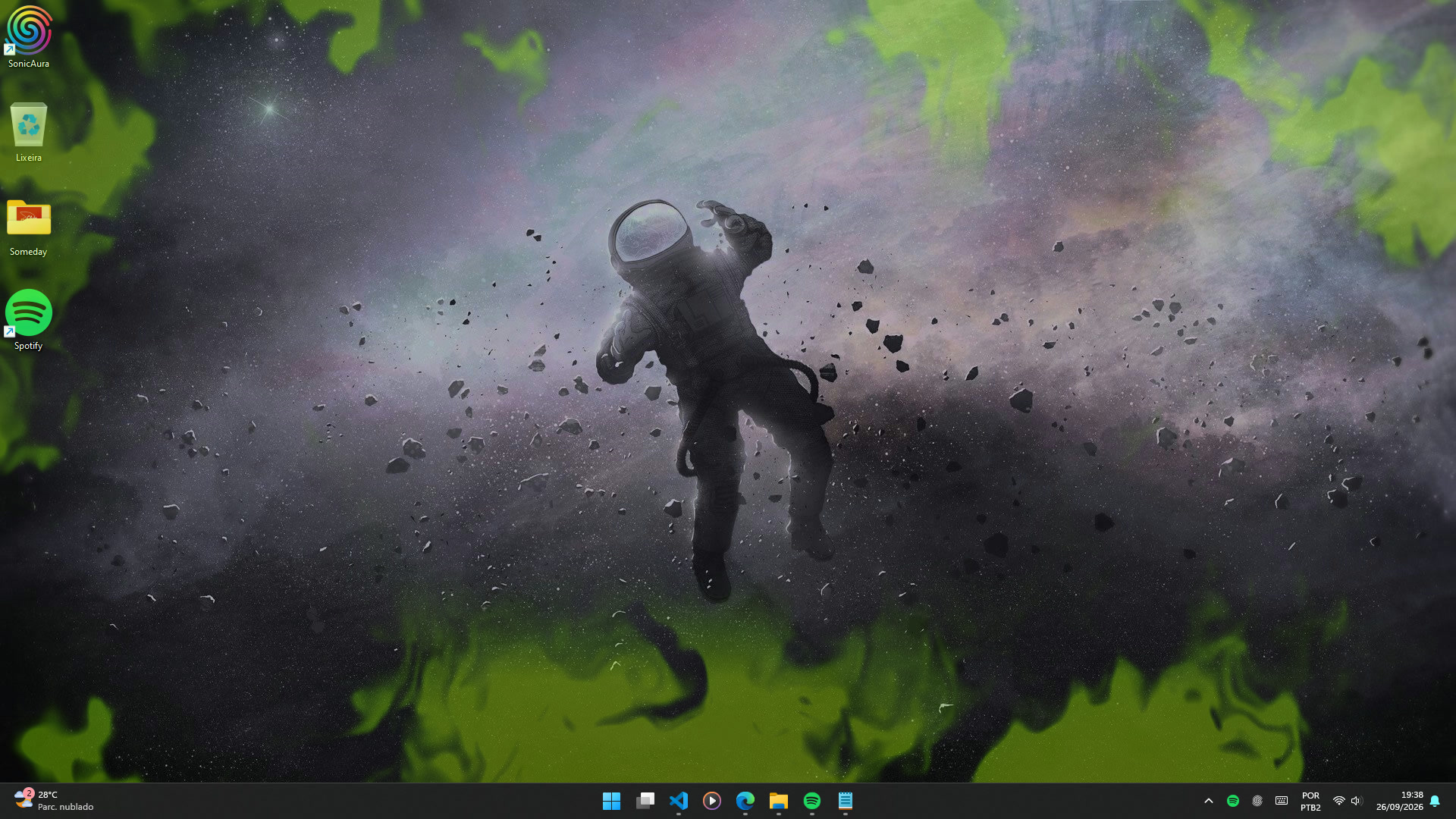
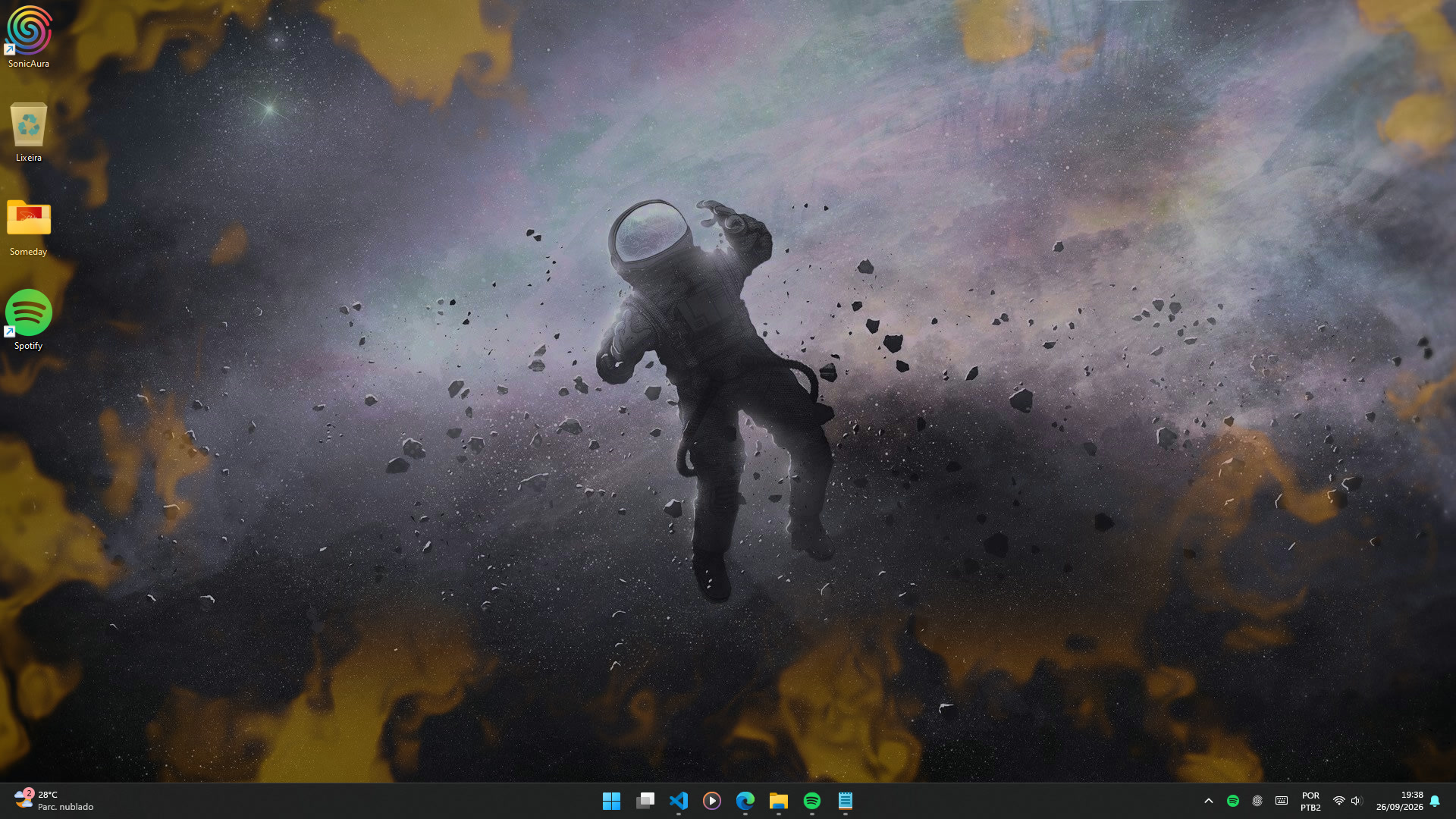
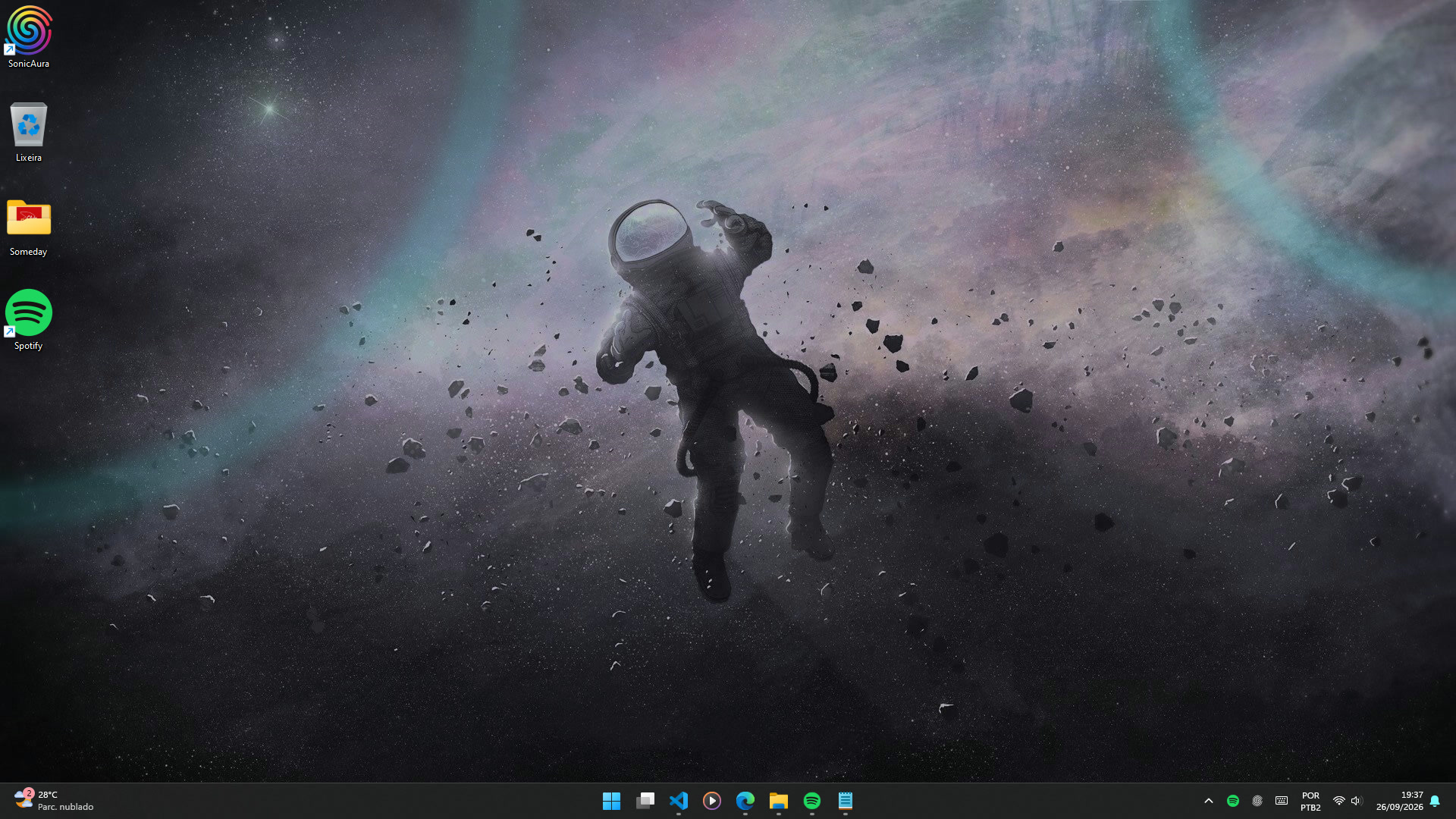
Both auras are free forever. The overlay covers the whole desktop and every click goes through it.
SonicAura opens a single transparent window that sits above the desktop. It listens to the sound Windows is playing – the same mix that reaches your speakers – and turns it into movement: how loud the track is, how much bass or treble it carries, when a beat lands and which way the melody is going.
There is nothing to set up before the first aura appears. Install the app, and the overlay rises on top of whatever you already have open. Choose an aura, play something, and adjust how strongly it follows the sound.
Run the installer, or take the portable build to leave nothing behind on the system.
A layer above your desktop that never blocks your clicks, with a tray icon and global shortcuts to show or hide it.
Every aura is driven by the system audio, with live preview while you switch between them.
A visualizer that sits above every window would end up in every screenshot and in every call you share. This one keeps itself out of the frame.
A screen capture takes whatever is on top of the desktop. Anything drawn above your windows shows up in the print, in OBS and in the window you share.
While the aura you are using reads the screen, the app keeps the overlay out of the Windows capture APIs – the recording keeps the desktop, without it.
This is the behaviour of the auras that read the screen. The others are drawn like any other window and do appear in a capture.
A music visualizer turns sound into something you can see: bars, waves, particles or ink that move with the track. SonicAura draws that layer over the whole Windows desktop instead of inside one player window, and feeds it from the system audio – so it follows Spotify, YouTube, a local file or a game alike.
No. Pro is a one-time purchase of US$ 14.99. The license does not expire and there is never a renewal charge. In Brazil the price is R$ 29,95, also paid once.
No, and it does not pretend to be one. SonicAura is a visual companion: it makes the desktop move with the music and stays out of the way of whatever you are doing. There are no timers, no streaks, no focus score and no claim about how it affects your attention – the effect on screen is the point.
Yes. SonicAura listens to whatever is playing on your PC – Spotify, YouTube, a media player, a game. No microphone and no extra setup.
One activation at a time. Deactivate the license on the current machine inside the app and activate it on the new one – the app has a documented deactivation and reset flow.
No. The app installs and runs per user, without elevated privileges, and it does not require a driver or a service.
From the Microsoft Store, when the Store is available on the machine: it installs without a download dialog of its own and keeps the app up to date, and a Pro purchase made there is tied to the Microsoft account used – there is no key to copy. The installer and the portable build on this page install the same app for the machines where the Store is not available, and Pro is bought on the web there, with a license key delivered by email – and that key works in either install. Both paths unlock the same thing.
An aura is a visual layer driven by the audio. The free plan carries 2 auras – Corner Waves and Ink in Water – and the app also ships Radial Wobble (classic), Fireflies, Music Rain, Constellation, Delay Echo, Glass Cracks, Pulse Bars and Topographic. Everything else lives in the aura directory: nineteen auras you install from the site, one file each, and every one of them is part of Pro.
It is a catalog of auras for the app. An aura is a single file in an open, documented format, so anyone can publish one – including you. Installing from the marketplace is a Pro feature.
It is the part of the app that writes an aura from a description you type, installed as an ordinary file you can read, edit and share. It uses your own key at the AI provider you choose – OpenAI, DeepSeek, Grok, Claude or anything OpenAI-compatible – and what you type goes from your machine straight to that provider, never through Edenware. Both the writer and installing it are part of Pro.
No. In Audio-reactive mode – the default – the auras keep to the music and step aside while a video plays, while a video player sits open with no music in it, or while an application is filling the screen. The list under the switch lets you label any application as music, video or “keep the auras over it”, and the app asks once the first time it meets something new.
No. Screen pixels and system audio are measured in memory and never written to a file or sent anywhere. The typing layer measures the instant and the position of the physical key and never receives the character. The privacy policy describes each layer in detail.
While an aura that reads the screen is active, the overlay excludes itself from the capture APIs of Windows, so your screenshots and screen recordings stay clean.
Nothing expires and nothing has to be paid: two auras and every core feature of the overlay stay free for as long as you use the app. Pro is a single payment that unlocks the rest, if you ever want it.
2 auras, free forever
US$ 0
The free plan carries 2 auras – Corner Waves and Ink in Water
One-time purchase
US$ 14.99
One-time payment – no subscription, no renewal
Optional. Two auras are enough to use SonicAura for good – the checkout, if you ever want it, is at the end of this page.
Two auras are free forever – no account, no card, no trial clock. Pro is one payment for the rest, whenever you want it.
SonicAura-Setup-1.0.6.exe — 67 MB
SonicAura-Portable-1.0.6.exe runs without installing
US$ 14.99
Optional – SonicAura works for good with the two free auras. Pro adds every aura, the aura marketplace and advanced settings, once, without renewal. Buy it here and the license arrives by email, or buy it in the Store from inside the app.
Get Pro – US$ 14.99License by email · Or buy it in the Store, inside the app